
 МИ ПРАЦЮЄМО ДЛЯ УКРАЇНИ
Contents
Why negative reviews are serious
According to research, 93% of consumers read reviews before choosing a local business. A single untrustworthy comment can turn away dozens of potential clients — especially if it is the first one they see.
At the same time, Google does not give business owners a direct tool to delete inconvenient reviews. The platform protects everyone’s right to leave honest feedback. Deletion is only possible when a review violates Google’s policies or the author decides to remove it themselves.
“Answering a negative review is not a weakness, but an opportunity to show potential clients that the company cares about its reputation” — Jay Baer, marketer and author of the book “Hug Your Haters”.
Therefore, reputation management starts not with deletion, but with understanding what exactly falls under the criteria for removal.
Which reviews Google removes from Maps
Google removes reviews that violate its content policies. Here is a list of grounds:
- Spam and fake content — a review written by a competitor or a person who has never used your services.
- Offensive or inappropriate language — hate speech, intimidation, calls for violence.
- Conflict of interest — self-promotion, reviews from current or former employees, rating manipulation.
- Off-topic — the review is posted on the wrong business or does not relate to a real experience.
- Misinformation — deliberately false information that misleads consumers.
If a review contains any of the above, there are grounds for a complaint. If a customer is simply dissatisfied and wrote about a real experience, Google will not remove it.
How to delete a review from Google Maps: step-by-step guide
Method 1. Via Google Business Profile
This is the primary and fastest path for a business owner.
- Log in to your Google Business Profile under the account linked to your business.
- Go to the “Reviews” section.
- Find the problematic review and click on the three dots next to it.
- Select “Report review”.
- Specify the reason — spam, offensive content, or another violation category.
- Submit the report.
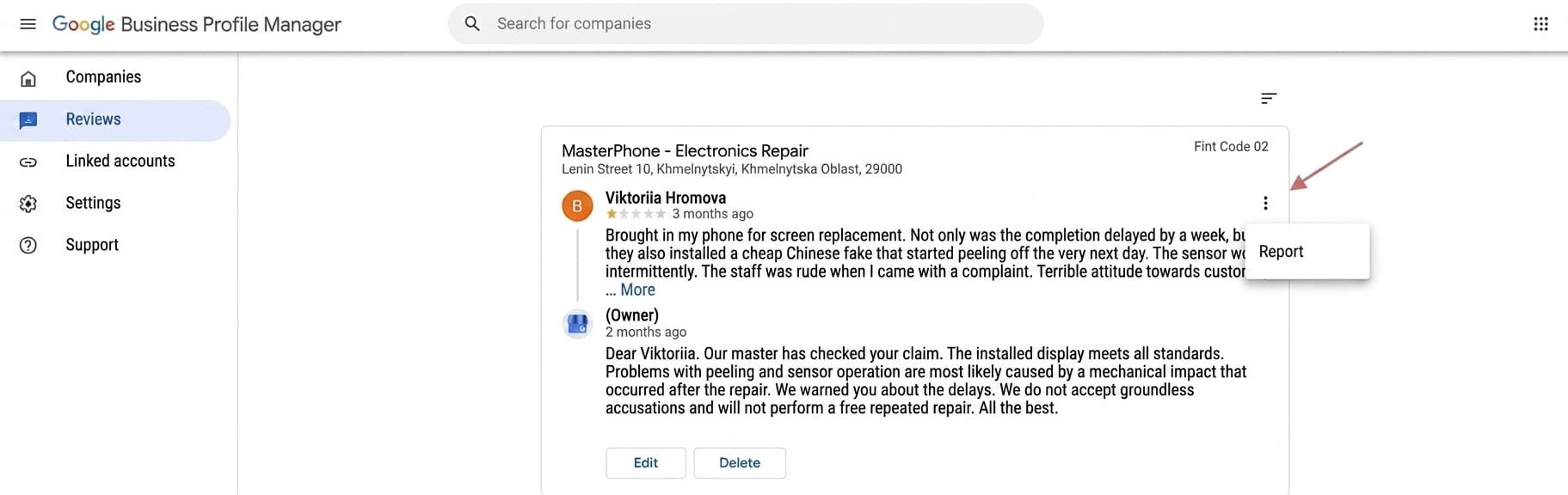
Figure 1 — Visualization of deleting a review via the admin panel.
Or an alternative option
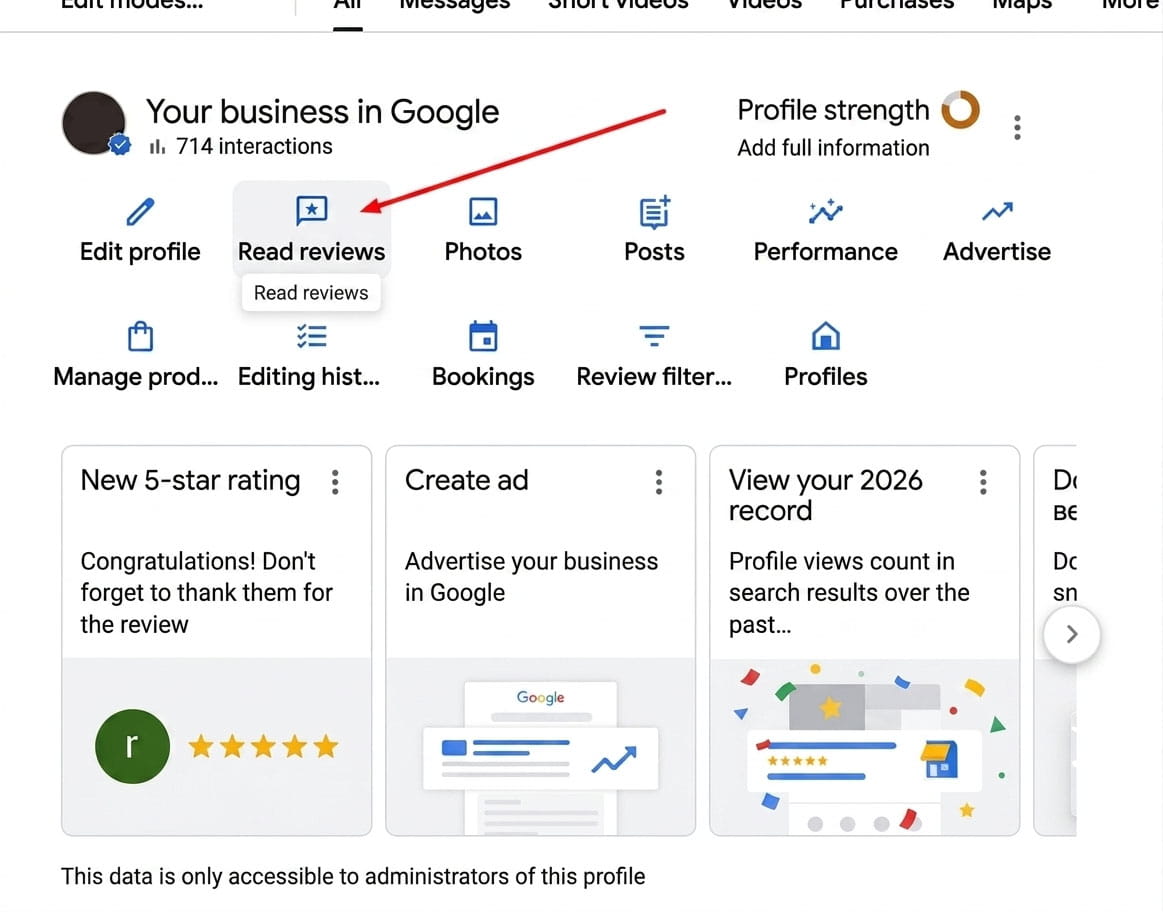
Figure 2 — Your business profile
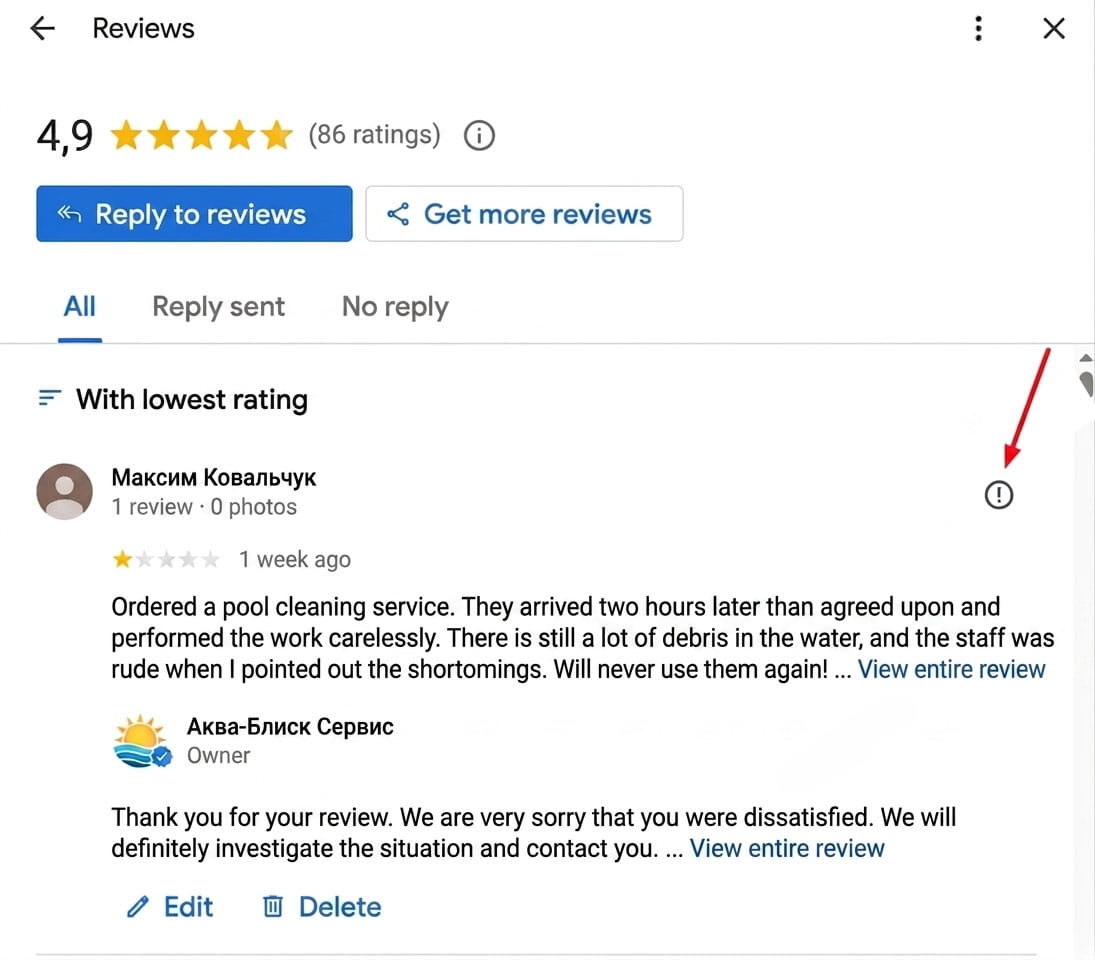
Figure 3 — Reviews about your company
After this, Google reviews the request. The decision is usually made within 7–14 days.
Method 2. Via the Review Management Tool
Google also provides a separate Reviews Management Tool where you can file a complaint, check its status, and even appeal the decision. This is especially convenient if you need to track several requests simultaneously.
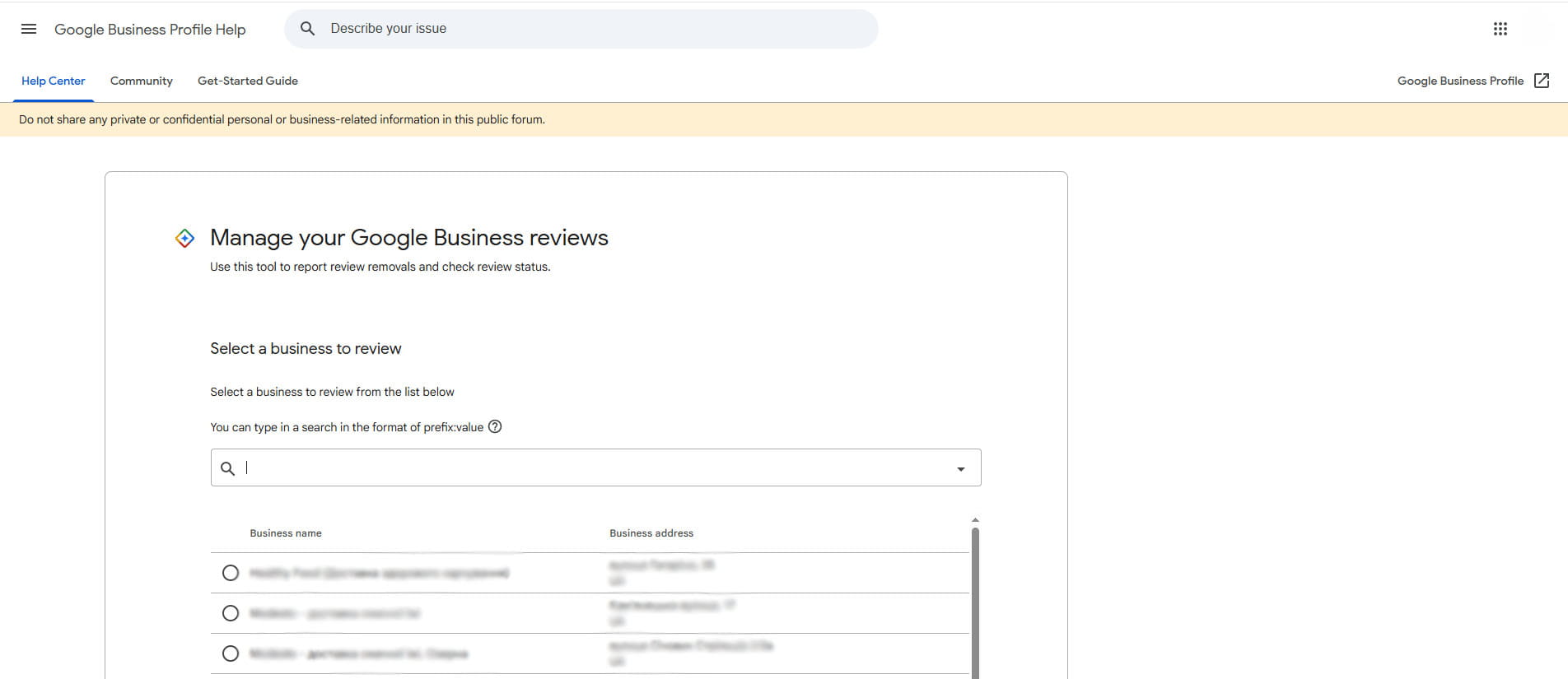
Figure 4 — Reviews Management Tool
Statuses you will see after submitting a complaint:
| Status | Meaning |
| Decision pending | Complaint received, review has not started yet |
| No violations | Google checked the review and found no violations |
| Removed | The review was removed for violating policies |
| Escalated | Case sent to a specialist, await a letter |
Table 1: Statuses of complaint verification for a review on Google Maps
Method 3. Legal request
If a review contains slander, defamation, or copyright infringement, a standard complaint might not work. In this case, Google accepts separate legal requests for removal. To do this, you need to contact the appropriate support section and provide proof of legal violation.
How to delete your own review from Google Maps
If you left the review yourself, deleting it is simple:
- Open Google Maps or maps.google.com.
- Click on your profile icon in the top right corner.
- Go to “Your contributions” → “Reviews”.
- Find the necessary review and click the three dots next to it.
- Select “Delete review”.
“Even if a review is not deleted, a proper public response often says more about a business than the comment itself” — Neil Patel, SEO expert and entrepreneur.
If Google refuses: what to do next
Refusal to delete is not the end. Reputation can be protected in other ways.

Reply publicly and calmly. When a potential client sees that a business responds to criticism with respect, it builds trust even despite the negativity. The response template is simple: acknowledge the concern, offer a solution, leave contact details to continue the dialogue.
Contact the author personally. If the review contains a real complaint, solve the problem offline, then politely ask the client to update or remove the review. Many people agree if the situation is resolved.
Collect new positive reviews. Google’s algorithm and consumer psychology react the same way to an overall rating: one negative review among twenty positive ones is almost unnoticeable. According to research, businesses with over 50 reviews and a rating of 4 stars or higher receive on average 4.6% more revenue.
For systematic work with promotion on Google Maps, it is important not only to react to negativity but also to build a strategy for accumulating organic positive reviews — this is a long-term investment in your reputation.
“The best protection against negative reviews is a steady stream of satisfied customers willing to share their experience” — Darren Shaw, founder of Whitespark and local SEO researcher.
If you want to know how to deal with negative reviews, read our article “How to delete negative reviews about a company?”
How to prevent fake reviews
Prevention is more effective than dealing with the consequences. Several practical steps:
- Regularly check for new content in your Google Business Profile — it is better to notice a suspicious review immediately.
- Set up notifications for new reviews in your profile settings.
- When discovering a suspicious review, collect evidence (screenshots, date mismatches, signs of a fake account) before filing a complaint. Confirmed evidence increases the chances of a positive decision.
- If reviews appear en masse simultaneously, it is a sign of an organized attack. In such a case, it is better to immediately contact Google support or reputation management specialists.
In a nutshell
You cannot directly delete someone else’s review from Google Maps. But there is a clear algorithm of actions: check if the review violates the platform’s rules, file a complaint via Google Business Profile or Reviews Management Tool, and await the decision. In parallel — reply publicly, resolve conflicts offline, and collect new reviews from satisfied customers.
Reputation on Google Maps is an asset that is built over years and destroyed quickly. Therefore, systematic work with reviews is more important than one-off attempts to delete negativity.




comments